
Printing options can be controlled by terminal. To edit terminal printing options:
1. Go to Settings.
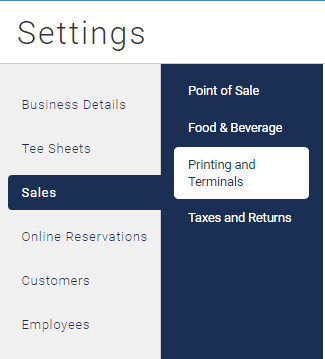
2. Go to Sales then click on 'Printing and Terminals'.
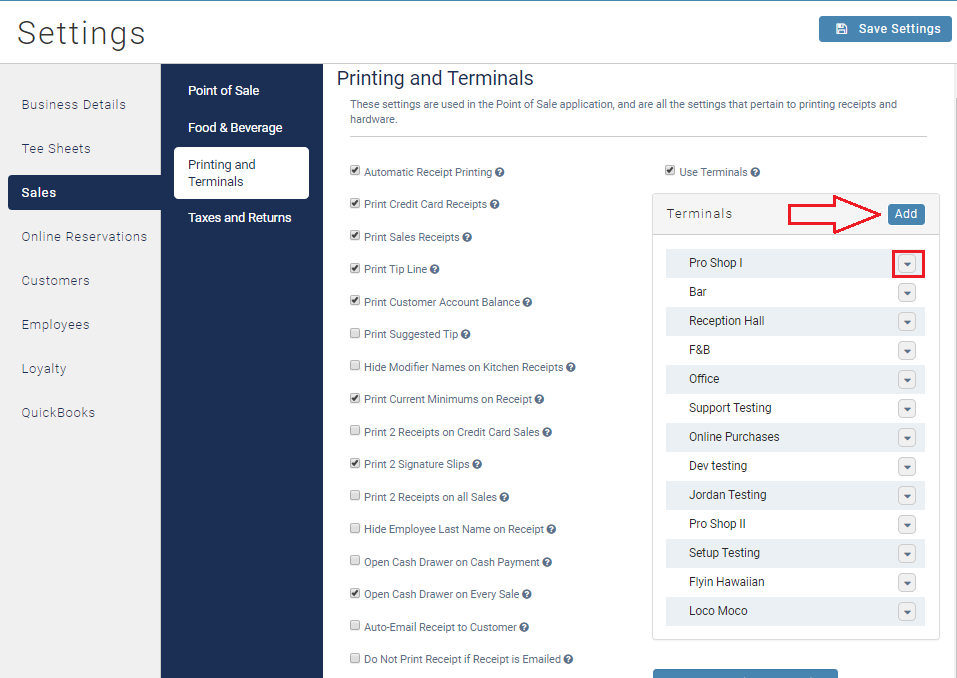
3. Click on the terminal you wish to make changes too, or add a new terminal.
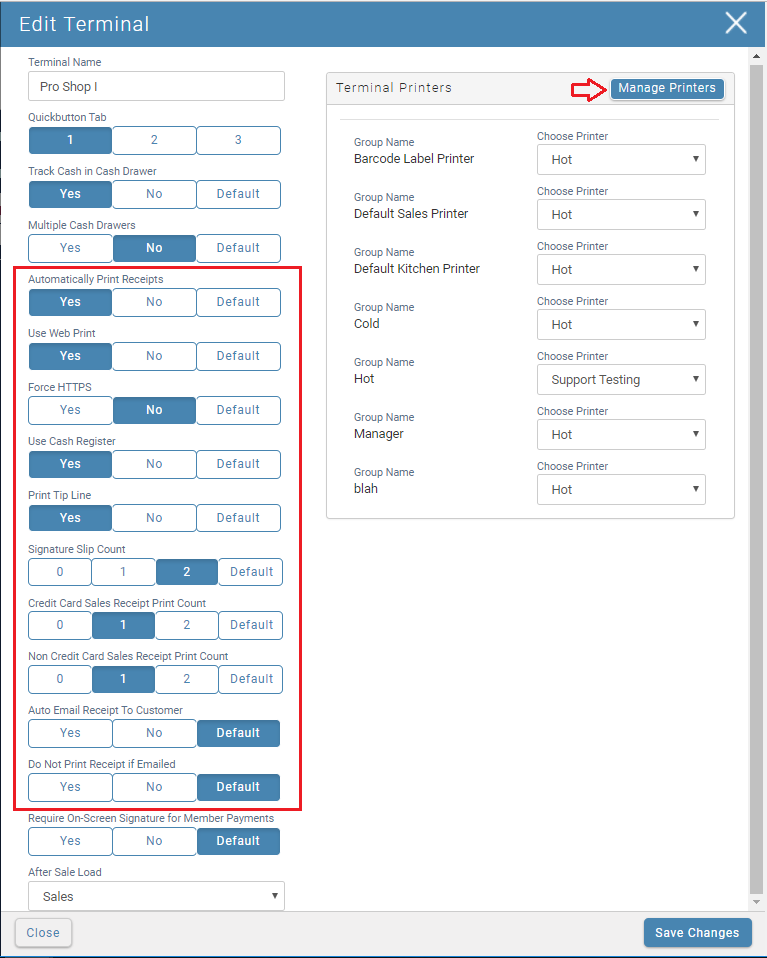
4. Make the changes needed on a per terminal basis. This changes will override the default printing settings.
5. Save changes.