Billing Premier Updates
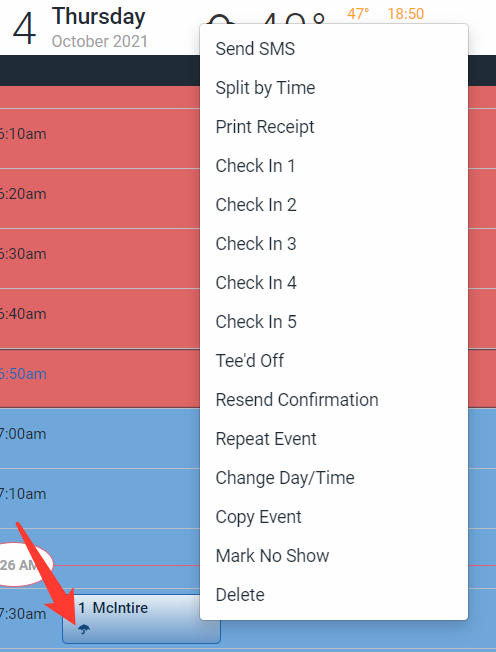
Activity Log in Billing Templates
Templates now have an activity log to track changes and edits made to a billing template. This can be found in the Billing module under the drop-down menu to edit a template.
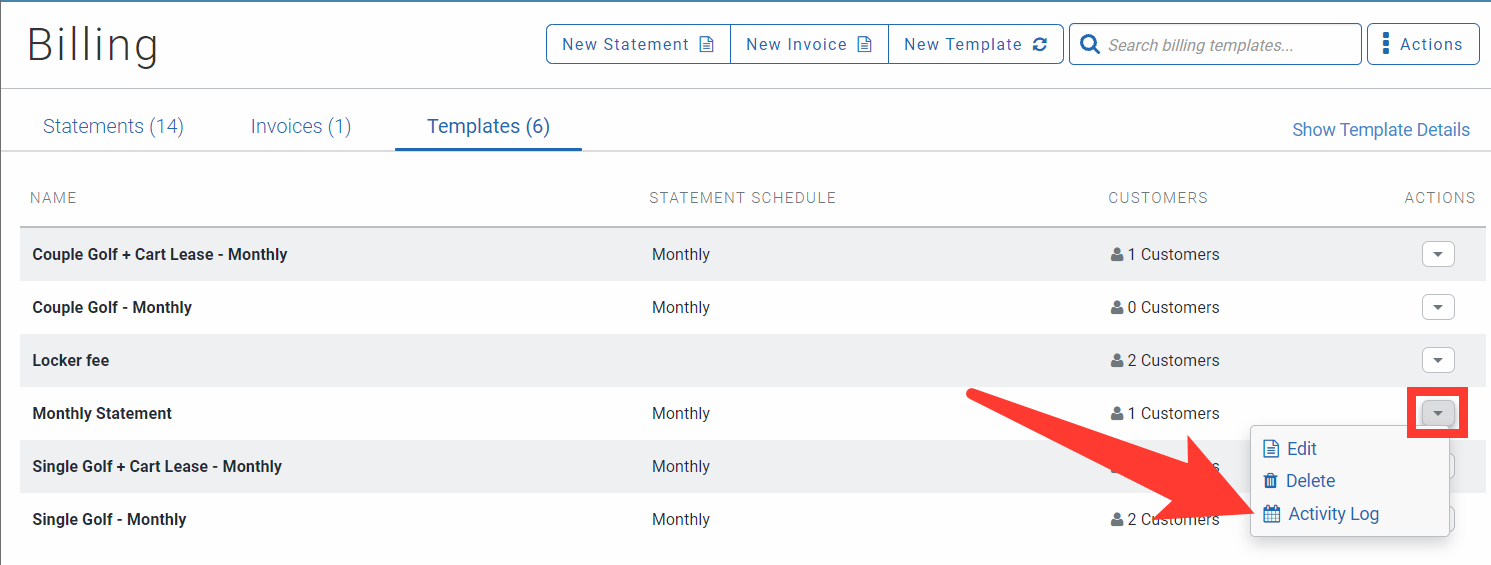
Account Barcode Visible Online
Customers and members can now pull up a barcode of their account number online. This will allow pro shop employees to scan a barcode in order to pull up a customer profile. The customer can access the barcode in their online portal. Click on "View Account Barcode" in order to access the barcode.
New Tee Sheet Updates
Note: The following updates are only available with the New Tee Sheet.
Allow Cancellation of Prepaid Tee Time with Auto-Refund Setting
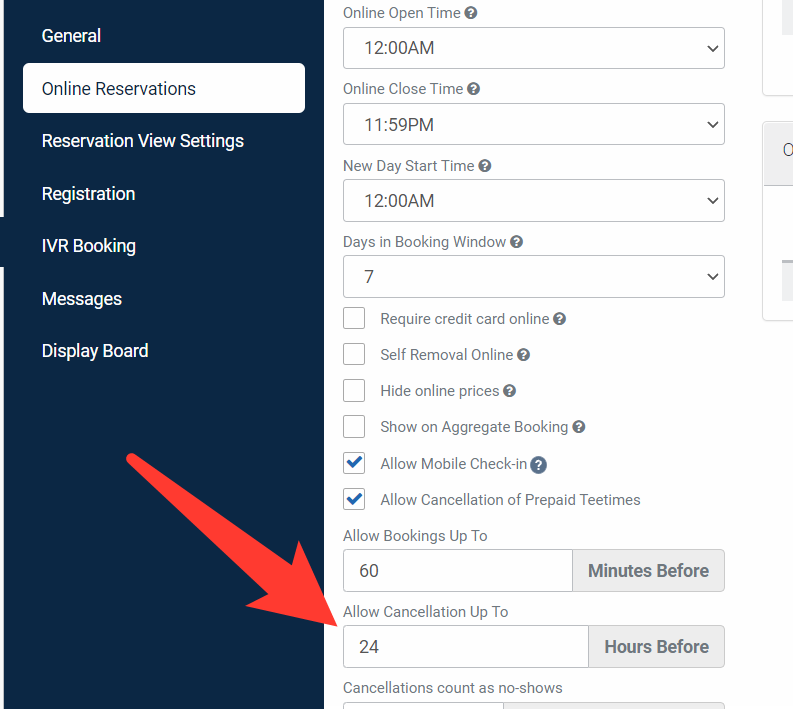
This new setting will allow and prevent customers from having the ability to cancel a prepaid tee time in their online customer portal. Turning this setting on will allow customers to cancel their prepaid tee times. It can be found in the Online Reservation Settings.
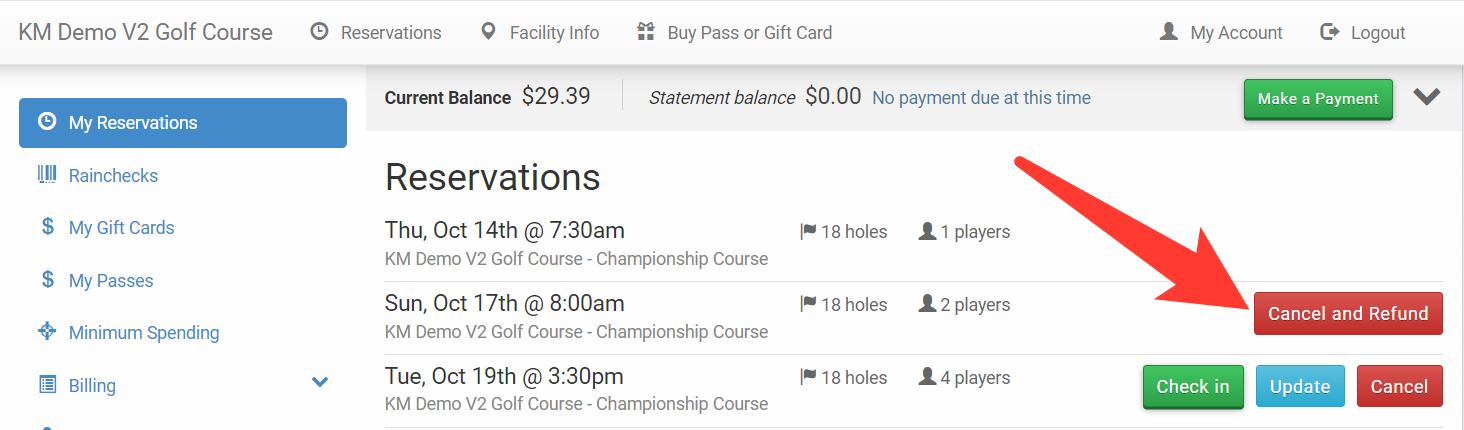
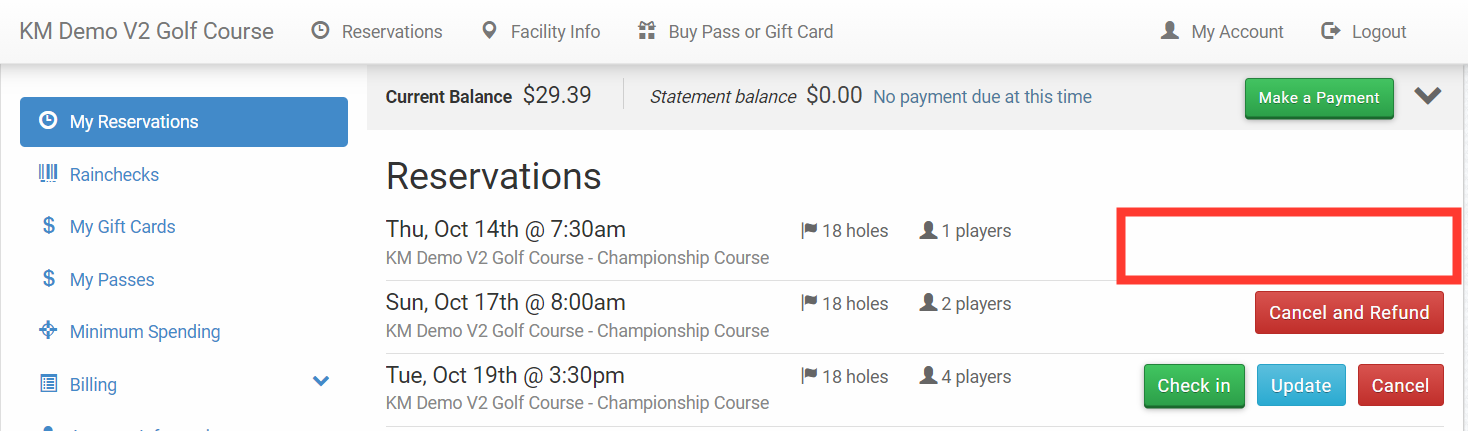
If that setting is activated, the customer will see a "Cancel and Refund" option when viewing any online tee time.

"Allow Cancellation Up To" Setting
This new setting will allow control over when a customer can cancel a tee time in the online customer portal. Clients can now specify up to a certain amount of hours before the tee time when a customer can cancel their tee time. The setting can be found in the Online Reservation Settings.
If a customer goes online to cancel but it is too late to cancel, the "Cancel and Refund" will not be available. See below for an example.
Employee Permissions: Events, Leagues, and Shotguns
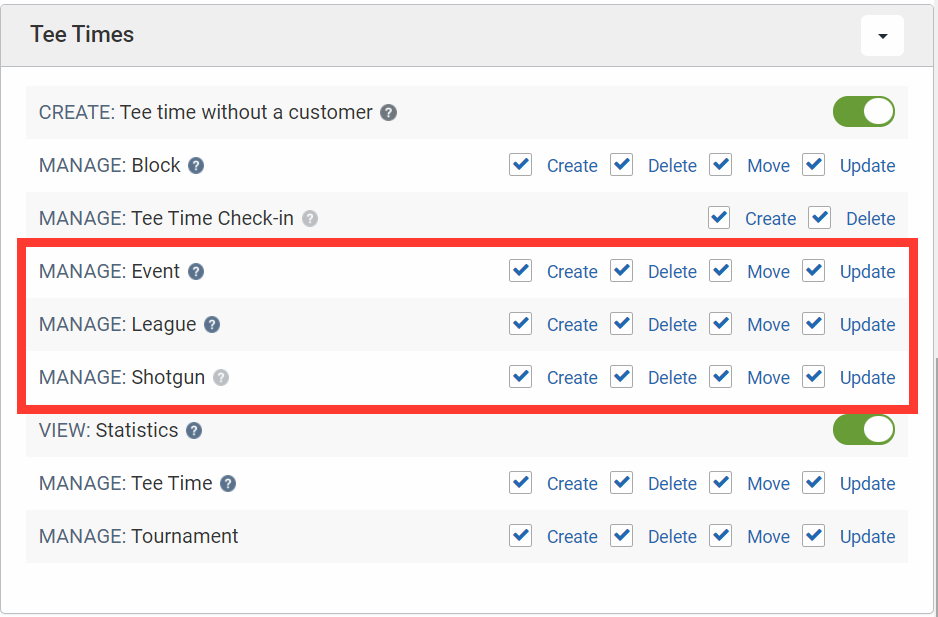
Employee permissions will allow customization for creating, deleting, moving, and updating events, leagues, and shotguns in the new tee sheet. The settings can be found in the Employee module under Edit Permissions.
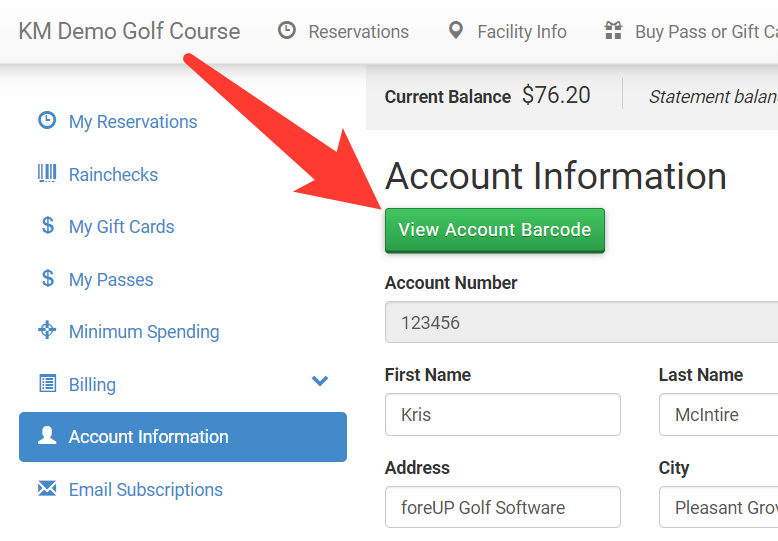
Changes to the Issue Raincheck Modal
The Issue Raincheck modal will no longer open if a raincheck has already been issued. Instead, an error message will be shown explaining why another raincheck cannot be issued.
The tee sheet right-click menu will not have an option to issue a raincheck if a raincheck has already been issued.