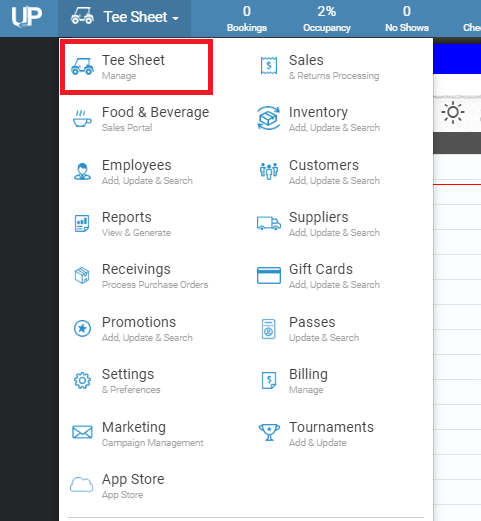
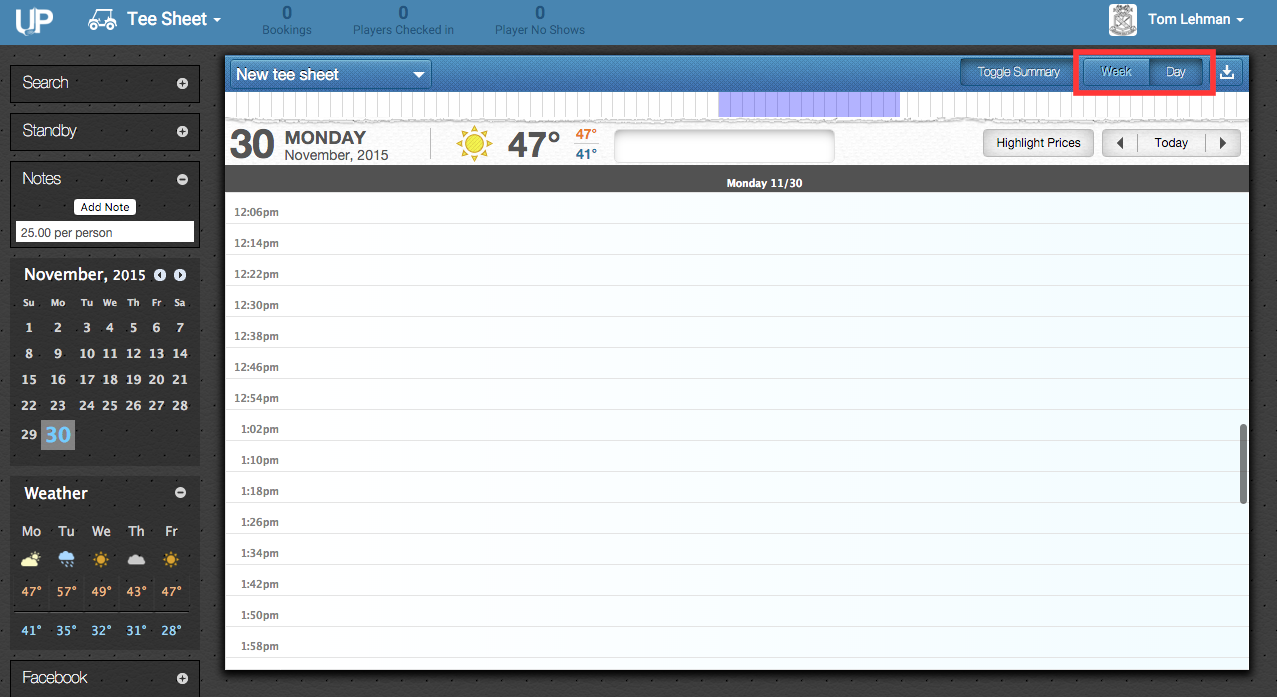
Switching Between Day and Week View Taylor Williams August 02, 2019 18:36 Updated Follow Click HERE to view a YouTube tutorial for the Tee Sheet: 1. Go to the Tee Sheet module. 2. Above the tee sheet on the right-hand side, there are two tabs that read “Week” and “Day”. Click on the desired view to toggle between both views. Related articles Switching Between Multiple Tee Sheets Booking Classes in Day Templates Creating a Shotgun Squeezing Tee Times Using the Calendar on the Tee Sheet