foreUP (800.929.5737) Help Center home page
(800)929-5737 Community Submit a request
Sign in
  1. foreUP (800.929.5737)
  2. Tee Sheet
  3. Classic Tee Sheet

Articles in this section

  • Changing Tee Sheet Increments
  • Changing the Date/Time of a Tee Time
  • Creating a Block on your Tee Sheet
  • Creating a Shotgun
  • Creating a Tournament, League, or Event
  • Highlighting the Tee Sheet
  • How To Charge A No Show Fee
  • How to Issue A Raincheck
  • Mark the Turn
  • Marking a Group as “Tee’d Off”
See more

Mark the Turn

Taylor Williams
  • December 13, 2022 16:03
  • Updated
Follow


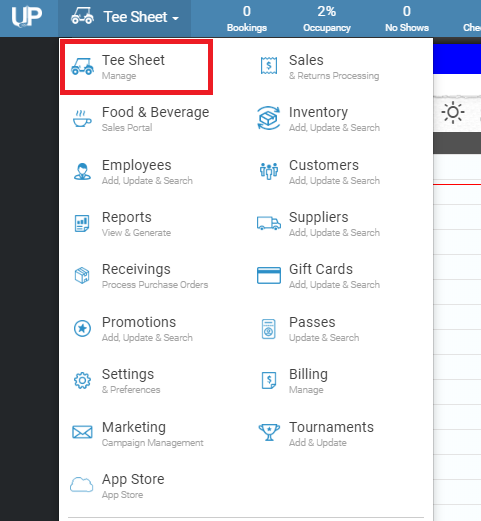
1. Go to the Tee Sheet module. tee_sheet_module.PNG
2. Right-click on a reserved time on the tee sheet.

3. If they have already been marked as “Tee’d Off”, it will then give the option to select “Mark the Turn”.

mceclip0.png

Was this article helpful?
5 out of 5 found this helpful
Have more questions? Submit a request
Return to top

Related articles

  • Marking a Group as “Tee’d Off”
  • Changing Tee Sheet Increments
foreUP (800.929.5737)