
Click HERE to view a YouTube tutorial for the Tee Sheet:
1. Create your tee time/tournament/league/event/block/shotgun, and drag it to cover the appropriate time period.
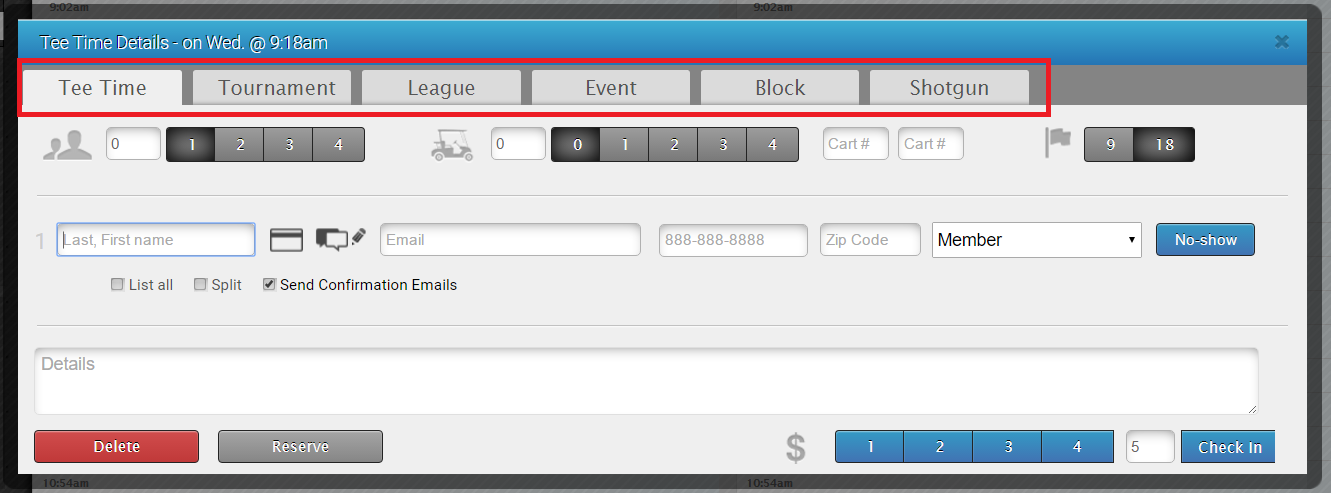
2. Right-click the event on the tee sheet.
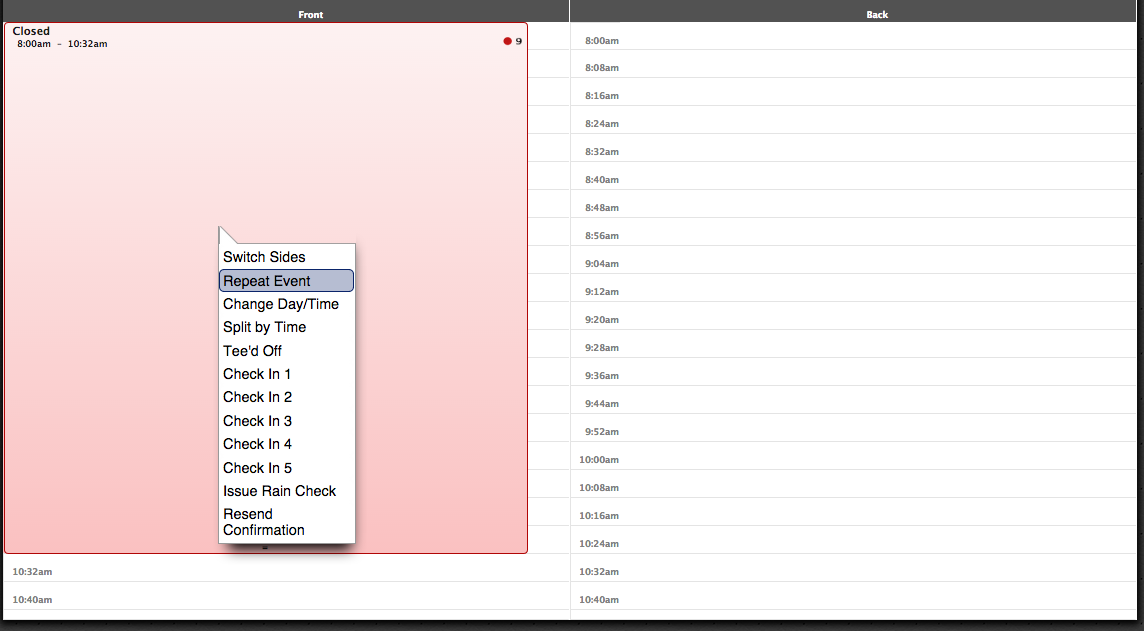
3. Select “Repeat Event”.
4. Select the start date, the interval to repeat at, and the end date.
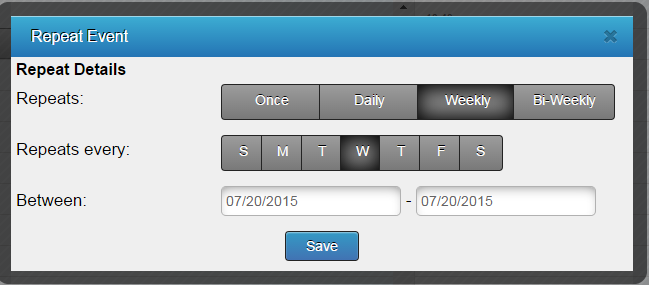
5. Click “Save”.
**Note: To delete recurring events, you will have to delete each one individually. Deleting one does not affect any others. **
**Note: The event will repeat as it is set up, so once its set up you won't be able to change anything all at once, you'll have to do it individually.