foreUP (800.929.5737) Help Center home page
(800)929-5737 Community Submit a request
Sign in
  1. foreUP (800.929.5737)
  2. Tee Sheet
  3. Classic Tee Sheet

Articles in this section

  • Changing Tee Sheet Increments
  • Changing the Date/Time of a Tee Time
  • Creating a Block on your Tee Sheet
  • Creating a Shotgun
  • Creating a Tournament, League, or Event
  • Highlighting the Tee Sheet
  • How To Charge A No Show Fee
  • How to Issue A Raincheck
  • Mark the Turn
  • Marking a Group as “Tee’d Off”
See more

Moving a Tee Time

Taylor Williams
  • August 02, 2019 18:33
  • Updated
Follow

Click HERE to view a YouTube tutorial for the Tee Sheet: 

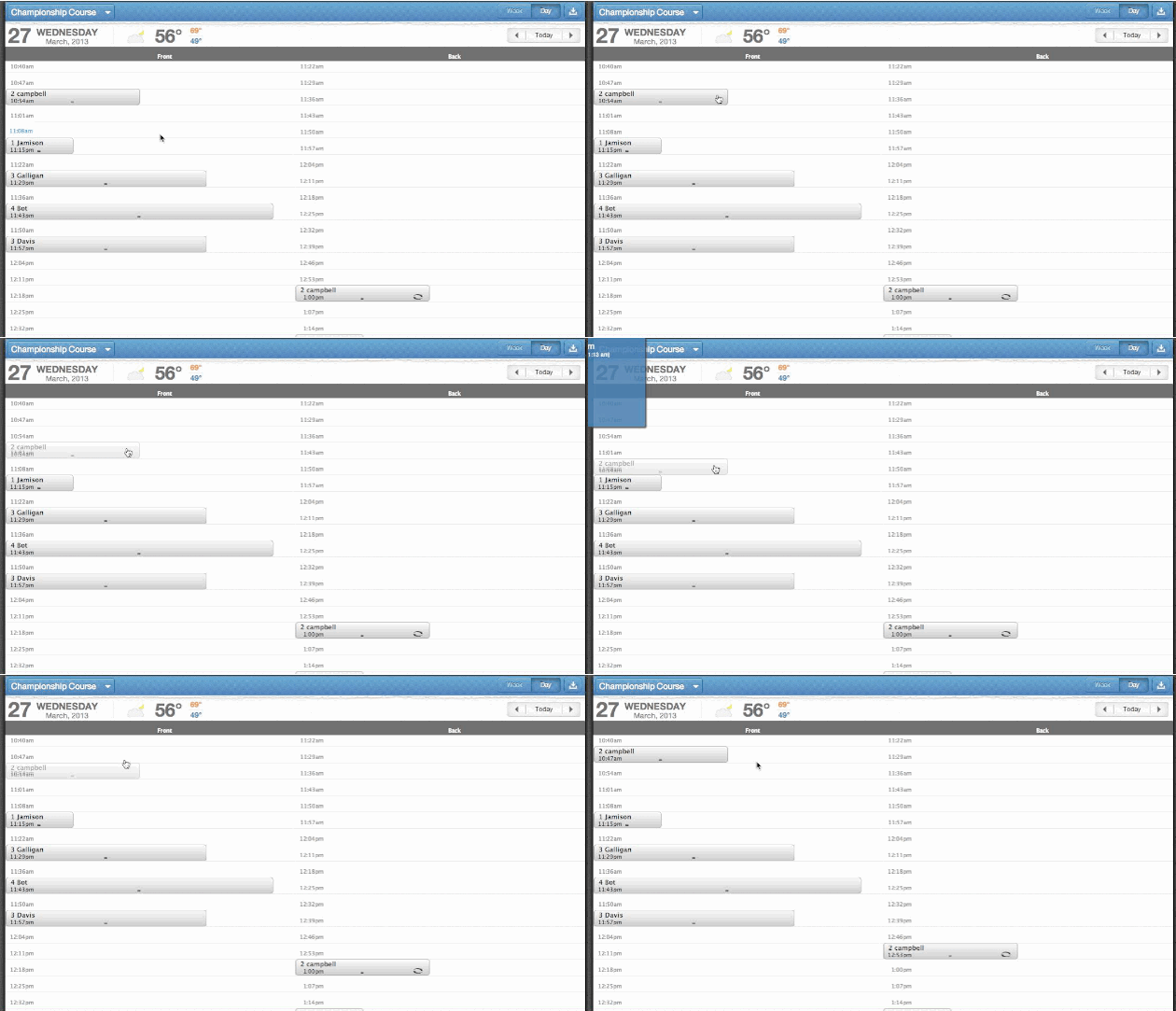
1. Click and hold on the reserved tee time.

2. Drag and drop on your desired new tee time.

move_a_tee_time.gif

Was this article helpful?
3 out of 3 found this helpful
Have more questions? Submit a request
Return to top

Related articles

  • Reserving a Tee Time
  • Switching Between Day and Week View
  • Changing the Date/Time of a Tee Time
foreUP (800.929.5737)