New Tee Sheet
Delayed release of canceled tee times
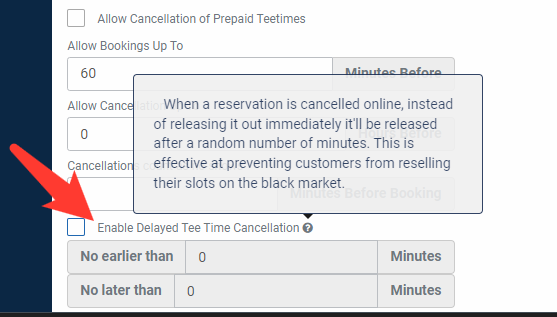
A new setting has been added to the online booking portal settings. The setting will enable a delay for when tee times are canceled. The canceled tee time will be added back into the online portal within the setting parameters (e.g., no earlier than x minutes and no later than x minutes).
foreUP has added this feature to help prevent tee time scalpers that purchase a tee time, sell it to someone, then release the tee time for it to be repurchased.
Change Day/Time right-click feature
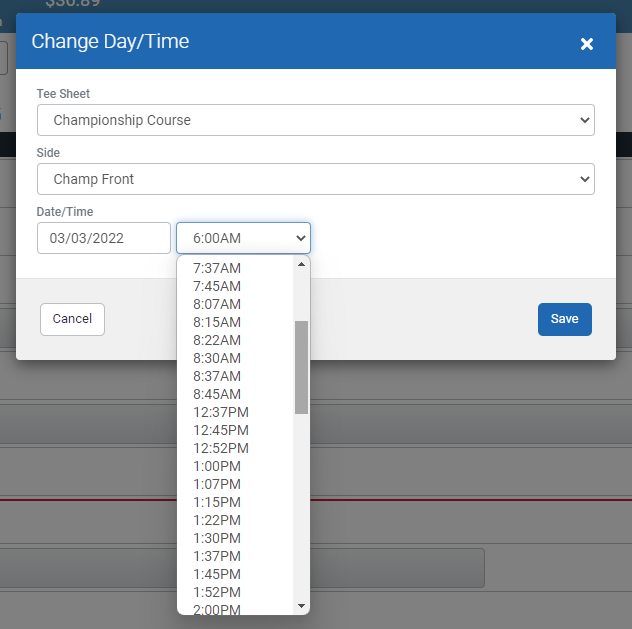
The change day/time right-click feature has officially been built into the new tee sheet. This is the same feature as the old sheet and has the same functionality. When right-clicking a tee time and choosing “Change Day/Time,” the times in the dropdown menu will display available tee times only.
Tee time cut and paste feature (People’s Choice Winner)
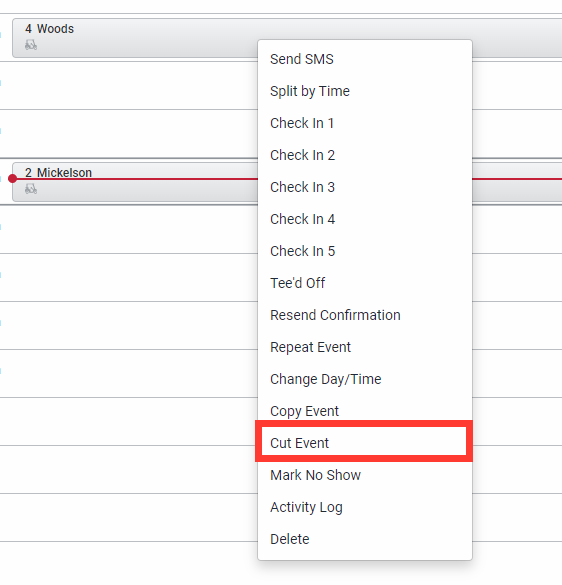
The option to cut and paste a tee time has been added to the right-click menu on the tee sheet. This will allow for a quick and simple way to reschedule a tee time or more a tee sheet event. The functionality of this feature is similar to the copy event, but it will delete the original tee time once it has been pasted to a new time.
Updated cart icon
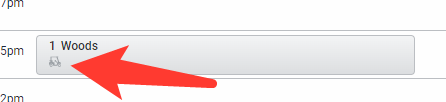
The cart icon on a tee time has been updated from a steering wheel to a golf cart. The change has been made to make tee times with a cart easily identifiable.
Billing
Members of a household can see billing statements and transactions in the online portal
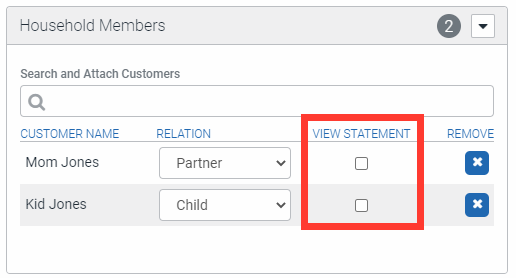
Prior to this update, the head of household was the only person that could view billing statements and transactions in the online portal. An option has been added to household members that will allow them to view statements and transactions in their online profile. The goal of this change is to provide the necessary tools to customers that will reduce the number of questions and calls to billing teams at your course. Checking the “View Statement” box in the household head's customer profile will activate this feature.