
Overview:
The foreUP Tee Sheet has tournament, league, and event features that allow event management, player management, and payments.
Preconditions:
Preconditions are the necessary settings, permissions, and items created in your software to allow the feature to work.
- Access to the New Tee Sheet
- Tee Sheet settings in place
- Tee Time Increment
- Time to Finish 9 Holes
- Open and Close Time
Steps:
- Go to the Tee Sheet module
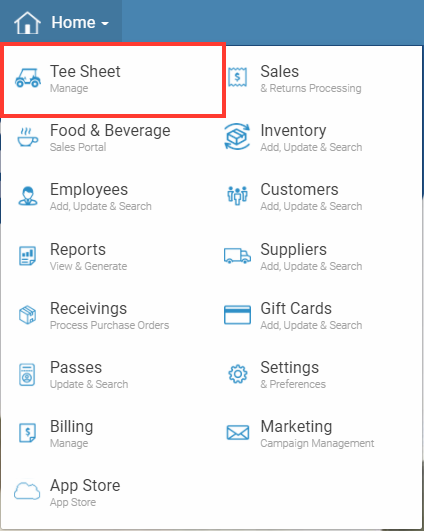
- Click on the tee time for the tournament, league, or event
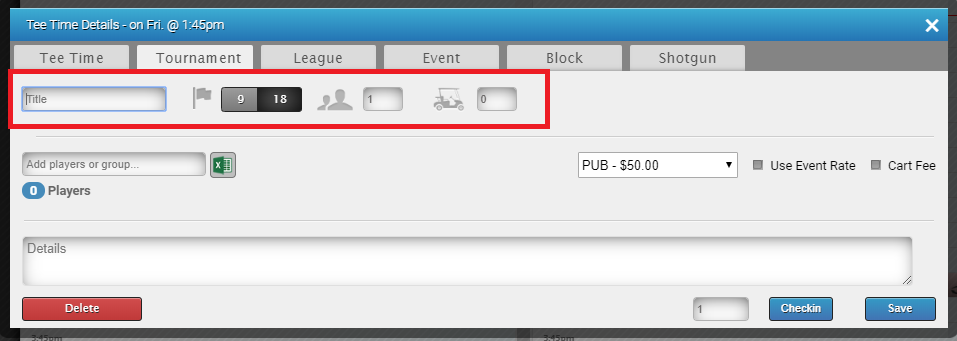
- Choose if this will be a tournament, league, or event.

- Add a Title to the tee time, choose if it's 9 or 18 holes and specify the number of people or carts.
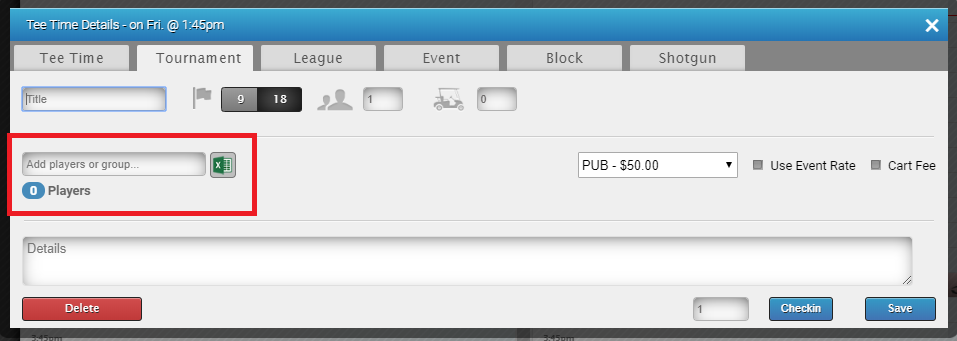
- Next, add the players to the tee time. You can add players manually one at a time, or you can import an excel spreadsheet with names. You can also type in a group name within foreUP and all of the customers in that group will be attached.
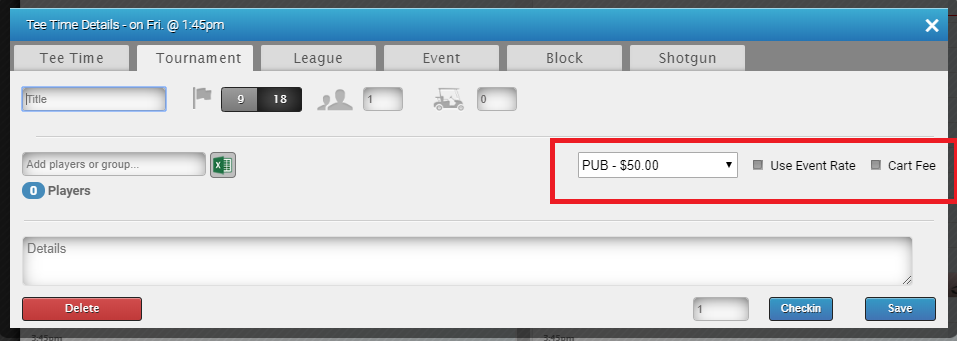
- You can choose the Price class you would like applied to this tee time. Keep in mind, each customer's individual price class will apply unless you select "Use Event Rate". Selecting this will give each customer the same price for this tournament, league, or event. Also check "Cart Fee" if you would like to charge each customer for a cart.
- Click "Save" when done